How can I check that LibKey and BrowZine are working in my instance of the NHS Knowledge and Library Hub? Why do particular buttons appear against different results?
We use Third Iron products to enhance the NHS Knowledge and Library Hub in several ways. Some changes to the linking experience happened on 5th January 2026. This sees fewer links displayed with the "best link" shown by Third Iron rather than more than one and some additional link types introduced.
Third Iron enriches the holdings data for each instance that are maintained by you in the EBSCO link resolver (HLM). It is critical to keep your HLM up to date.
You can ensure that LibKey has been correctly installed by checking that the following enhancements are working through your instance of the NHS Knowledge and Library Hub:
Journal Cover Art
In your list of results in the NHS Knowledge Hub, you should notice that most (not all) journals have cover art - this makes your results page look more colourful and user-friendly:

LibKey Instant PDF links (previously Get PDF)
If you have full-text access to an article, in many cases you should notice a "LibKey Instant PDF" link - a one-click link to the PDF of an article:

Please note that the LibKey Instant PDF link will not appear for all full-text articles. EBSCO full text-content is provided through a different PDF button:
Some full-text articles do not have a one-click PDF button at all. This is usually because the journal is neither compatible with LibKey nor EBSCO content. The LibKey link "View article" should offer a high quality link where a direct PDF link is not an option (an example would be ClinicalKey articles). You should also still see an Access Item button - this will often link you back to the publisher's website to access the full-text.
Reminder - if you do not have full text access to an article, you should see a button to "Request this item" - this will link to an interlibrary loan request form or the Koha ILL Module.

RETRACTED ARTICLE / EXPRESSION OF CONCERN links
A new linking arrangement is in place for articles that have been retracted or are flagged as a concern. From January 2026 the user will be presented with the most serious warning link where applicable rather than the LibKey Instant PDF option. The warning links point to a clarification page from Third Iron that explains the issue while still providing a route to access if required. We will seek to monitor whether users understand that the RETRACTED link will still give them the option to choose to read an article.
View Complete Issue Links
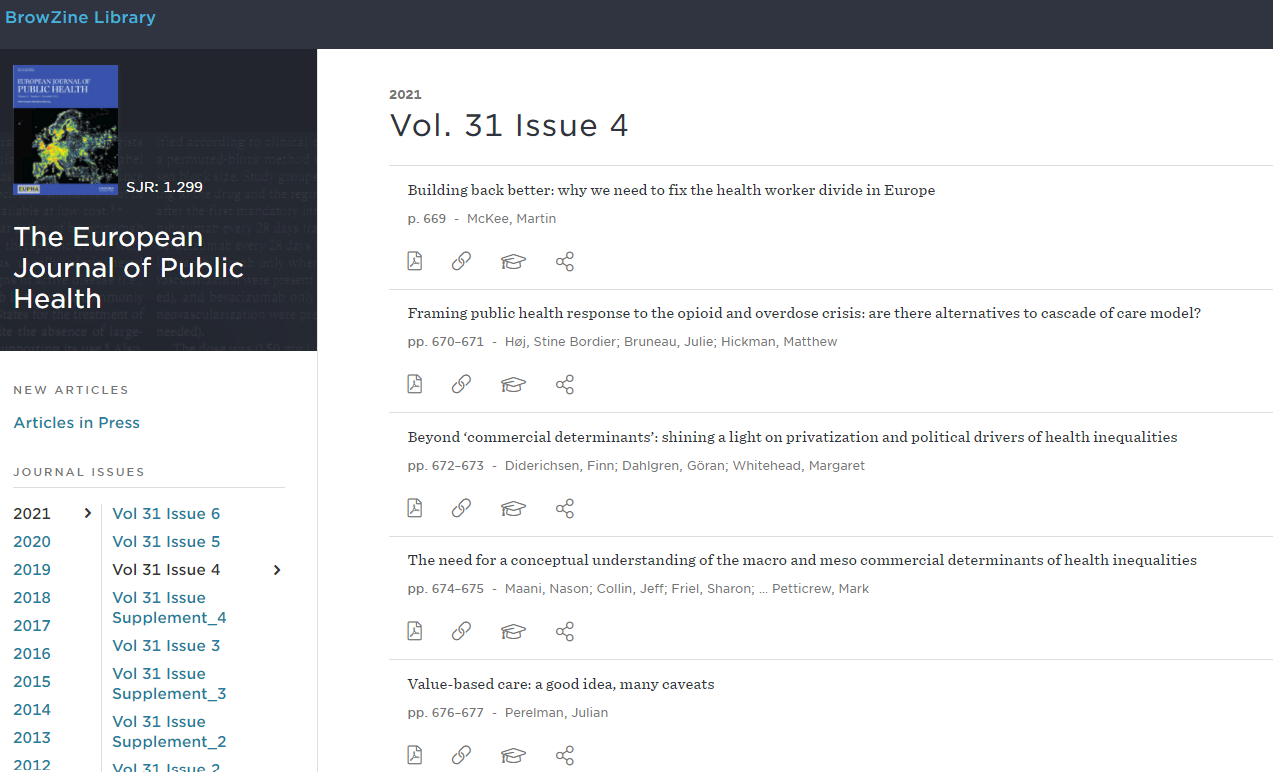
If you have full-text access to a journal, you should see the BrowZine "View Complete Issue" button appearing in the results page. If you click on this link it will take you to the issue of the journal in BrowZine that contains the relevant article:

Browse Journals
On the left hand navigation of the NHS Knowledge and Library Hub, you will find a link to Browse Journals. This will take you through to the BrowZine instance for your service and contains the journals in your local holdings as well as the nationally purchased content:
If you identify any issues with LibKey set-up in your instance of the NHS Knowledge and Library Hub please log a ticket with the Hub service desk.